


Blinkist: Book Summaries Daily
4.65.68K Reviews
App Specs
- Version
- 10.10.6
- Updated On
- License
- Free
- Downloads
- 10,000,000+
- Developer
- Blinks Labs GmbH
- Categories
- Education
- Platform
- Android, iOS
Screenshots
 Analysis by AppCompare
I like the idea of using short book summaries to decide what deserves more of my attention. Blinkist: Book Summaries Daily is an education app from Blinks Labs GmbH that makes that approach its focus: it gives me a compact way to explore nonfiction when a full book is not practical. It is free to download, rated for Everyone, and has a 4.6 average from around 170,000 ratings, with more than 10 million installs. Those figures suggest a broad audience, but the real question is whether the format fits how you actually learn.
Where the experience can snag
The main limitation is built into the format. A summary can introduce an argument and help me decide whether a subject interests me, but it cannot preserve every example, qualification, or turn in the author’s reasoning. If I want depth, a complete audiobook or book is still the better choice. I treat a “blink” as a useful overview, not a substitute for expertise or a shortcut to mastering a complicated subject.
It can also be easy to consume summaries passively. Listening while doing chores is convenient, but if I cannot remember the key idea afterwards, the session has offered entertainment more than learning. I get more from choosing a specific question first—such as whether a book might help with a work challenge—then listening with that question in mind and noting the one idea I want to revisit.
What is Blinkist?
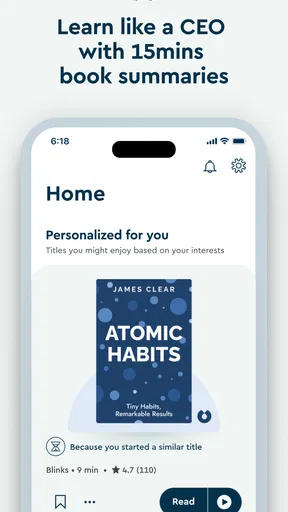
Picture this: you're on your morning commute, sipping coffee, and you're already halfway through a book. Sounds dreamy, right? That's where Blinkist comes in. It's an app that provides concise summaries of popular non-fiction books. Each summary, or "blink" as they call it, takes about 15 minutes to read or listen to. It's like getting the main dish without all the sides.
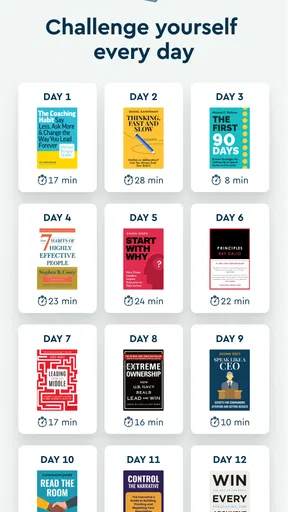
What's cool is that Blinkist covers a wide range of topics. Whether you're into self-help, science, business, or history, there’s something for everyone. And if you're anything like me, always curious and eager to learn, this app feels like a treasure chest of knowledge.
Getting Started
Downloading the app is a breeze, available on both Android and iOS. Once you have it, setting up is as easy as pie. You can start with a free trial, which is a great way to test the waters. Trust me, once you dive in, you might not want to stop.
The interface is clean and user-friendly. You can search for specific titles or explore categories if you're in the mood to discover something new. The app also suggests reads based on your interests, so it feels like having a personal librarian at your fingertips.
Worth Reading Before You Choose

EA SPORTS FC Mobile 26 Is a Bigger Football Game, but It Takes Time

Flipboard Shows What News Apps Must Do Beyond the Feed

Switching to Android Auto Means Rethinking Your Driving Routine

Google Calendar Makes a Crowded Week Easier to Manage

Ludo King Makes the Most of the Minutes Between Plans

Baby Panda World Brings Quick Play to Modern Phones, but Its Game Library Feels Busy
Features That Stand Out
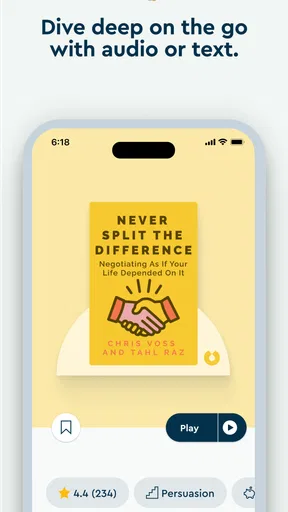
One of the standout features is the audio option. You can listen to the blinks while driving, cooking, or even working out. It's multitasking at its finest! Plus, for those of us who are trying to limit screen time, this is a major win.
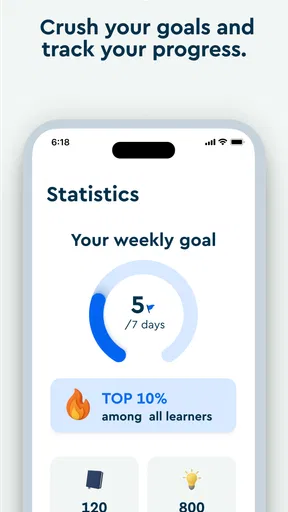
The app also keeps track of what you've read and listened to, so you can easily revisit your favorites. There’s even an option to download blinks for offline access, perfect for when you're off the grid but still want to catch up on some reading.
Why Blinkist Might Be a Game Changer
Let's be real, in today's hustle and bustle, finding time to read can feel like a luxury. But with Blinkist, you can still soak up all that juicy knowledge without the time commitment. It’s like having a backstage pass to the best parts of a book.
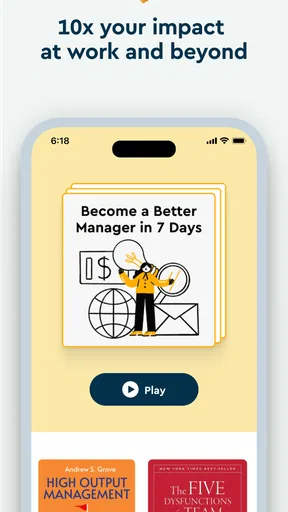
Moreover, it's a fantastic tool for those who want to keep up with trends, enhance their skills, or simply explore new ideas. It’s like having a mentor who condenses the wisdom of thought leaders into bite-sized nuggets.
My Personal Take
I've been using Blinkist for a while now, and I gotta say, it's pretty addictive. I love how I can get the essence of a book while waiting for my coffee to brew. It doesn’t replace the experience of reading a full book, but it complements it beautifully.
Sure, there are days when I miss flipping through pages and savoring every word, but having this option is empowering. It's like snacking on knowledge throughout the day.
Whether you’re a voracious reader or someone who’s just starting to dip your toes into the world of books, Blinkist: Book Summaries Daily is a gem worth exploring. Give it a whirl, and who knows, it might just change the way you "read."
Set expectations before you begin
Before making Blinkist part of a routine, I’d check what the current version offers on my device and browse a few subjects I genuinely care about. The app is on version 10.9.3, and it requires Android 10 or later on Android. That is useful to know if you are setting it up on an older phone; an installation issue can be a compatibility matter rather than a problem with your account or the app’s content.
The app is free to install, but it also includes in-app purchases ranging from $0.99 to $439.99 per item. I would look at the purchase and subscription details shown in the app before committing, and distinguish those from the ability to install it without an upfront price. A free download does not mean that every way of using the service is free. If you are only curious, explore the available access first and make sure you understand any trial terms presented during sign-up before relying on them.
Make a small, deliberate learning loop
For a realistic weekday routine, I might pick one title during breakfast, listen to its audio on a familiar commute, then revisit the written version later if a point felt important. That separates discovery from recall: the audio makes it easy to fit a first pass into a gap, while a short reread helps me check what I actually took away. I would not queue several summaries just to build a streak of activity; choosing one relevant idea and connecting it to a real decision is more useful.
A practical tip is to use the reading and listening options for different purposes rather than treating them as interchangeable. Audio suits a walk or household task when attention can wander; reading is better when I want to pause over a claim or compare a couple of ideas. If I am listening while driving, I would set things up before moving and keep attention on the road. The convenience of audio should never turn into a reason to interact with a phone in traffic.
Keeping track of finished material can help me avoid repeatedly sampling the same topics. I would also save or download a summary only when I have a clear reason to return to it—perhaps for a trip without a reliable connection—rather than trying to collect everything. That small habit makes a personal library more useful: it becomes a short list of ideas I may act on, not a pile of unfinished content.
Recover calmly when something does not work
If playback or reading seems interrupted, I would first check the simple things: whether the connection is working, whether the correct item is open, and whether the app needs to be brought back to the foreground. For something intended for offline listening, I would confirm that the download completed while I still had a connection instead of assuming that tapping the download option was enough. These checks are more sensible than immediately reinstalling the app or repeating a purchase.
If the problem is with access rather than a particular summary, I would confirm that I am signed into the account I used before, then review the purchase status through the relevant app store and the app’s account area. I would avoid paying again just because content is not appearing at first. If the issue continues, the useful details to gather are the device, operating system, what I tapped, and the message or behavior I saw; that makes any support request clearer without guessing at the cause.
Know when a different format will serve you better
Blinkist sits between browsing a topic and committing to a full book. Compared with a conventional ebook or audiobook, it is quicker to sample ideas but necessarily less complete. Compared with a podcast, its summaries are tied to books and are easier to approach as a focused introduction, while podcasts may be a better fit when I want an ongoing conversation, interviews, or a more spontaneous discussion. Neither format wins in every situation; the useful choice depends on whether I want orientation, sustained detail, or a lively exchange.
I would recommend the app most to curious people with fragmented free time, readers trying to shortlist nonfiction, and listeners who like turning commutes or chores into a light learning session. It is less suitable for someone who wants a complete argument, careful source-by-source study, or a course with exercises and structured practice. For those goals, I would choose the original book, a dedicated course, or other material that lets me work through the subject in depth.
A practical verdict
Blinks Labs GmbH has built a clear proposition around compact nonfiction summaries, and the app’s popularity is reflected in about 5,600 reviews as well as its large rating and install counts. Still, popularity does not answer the personal-fit question. I would try it with a topic I already care about, pay attention to whether the short format leaves me with something memorable, and decide from that experience whether it earns a place in my routine.
My honest recommendation is to treat Blinkist as a discovery and review tool, not a replacement for reading. The free install lowers the barrier to exploring it, while the in-app purchase range makes it worth checking the terms before spending. If compact introductions help you choose what to learn next, it can be a handy companion. If you mainly want depth, careful study, or the pleasure of following an author’s full reasoning, I would go straight to the complete book instead.
Pros
- Wide range of book categories available.
- Summaries are concise and insightful.
- Offline reading mode is available.
- User-friendly and intuitive interface.
- Regular updates with new titles.
Cons
- Limited depth in some book summaries.
- Requires subscription for full access.
- Audio quality varies between summaries.
- No direct integration with e-readers.
- Some genres have limited options.
FAQs for Blinkist: Book Summaries Daily
What is Blinkist and how does it work?
Blinkist is an app that provides summarized versions of popular non-fiction books. It offers key insights and main ideas, making it easier for users to understand complex topics in just 15 minutes. The app is available on Android and iOS and can be accessed via a subscription model.
Can I access Blinkist offline?
Yes, Blinkist allows you to download summaries for offline reading or listening. This feature is particularly useful for users who want to consume content without internet access, such as during commutes or travel. Simply download the summaries when connected, and enjoy them anytime.
Does Blinkist cover a wide range of topics?
Blinkist covers a diverse range of topics, including business, self-improvement, psychology, science, and more. With thousands of titles available, users can explore various interests and fields, ensuring there is something for everyone. The library is continually updated with new content.
Is Blinkist suitable for learning complex subjects?
While Blinkist offers simplified and concise summaries, it is best suited for gaining a general understanding of a book's main ideas. For in-depth learning, reading the full book is recommended. Blinkist is an excellent tool for quick insights and overviews rather than detailed comprehension.
What are the subscription options for Blinkist?
Blinkist offers a free trial period for new users to explore its features. After the trial, a subscription is required, available on a monthly or annual basis. The subscription provides unlimited access to all summaries, both in text and audio formats, enhancing the user experience.


